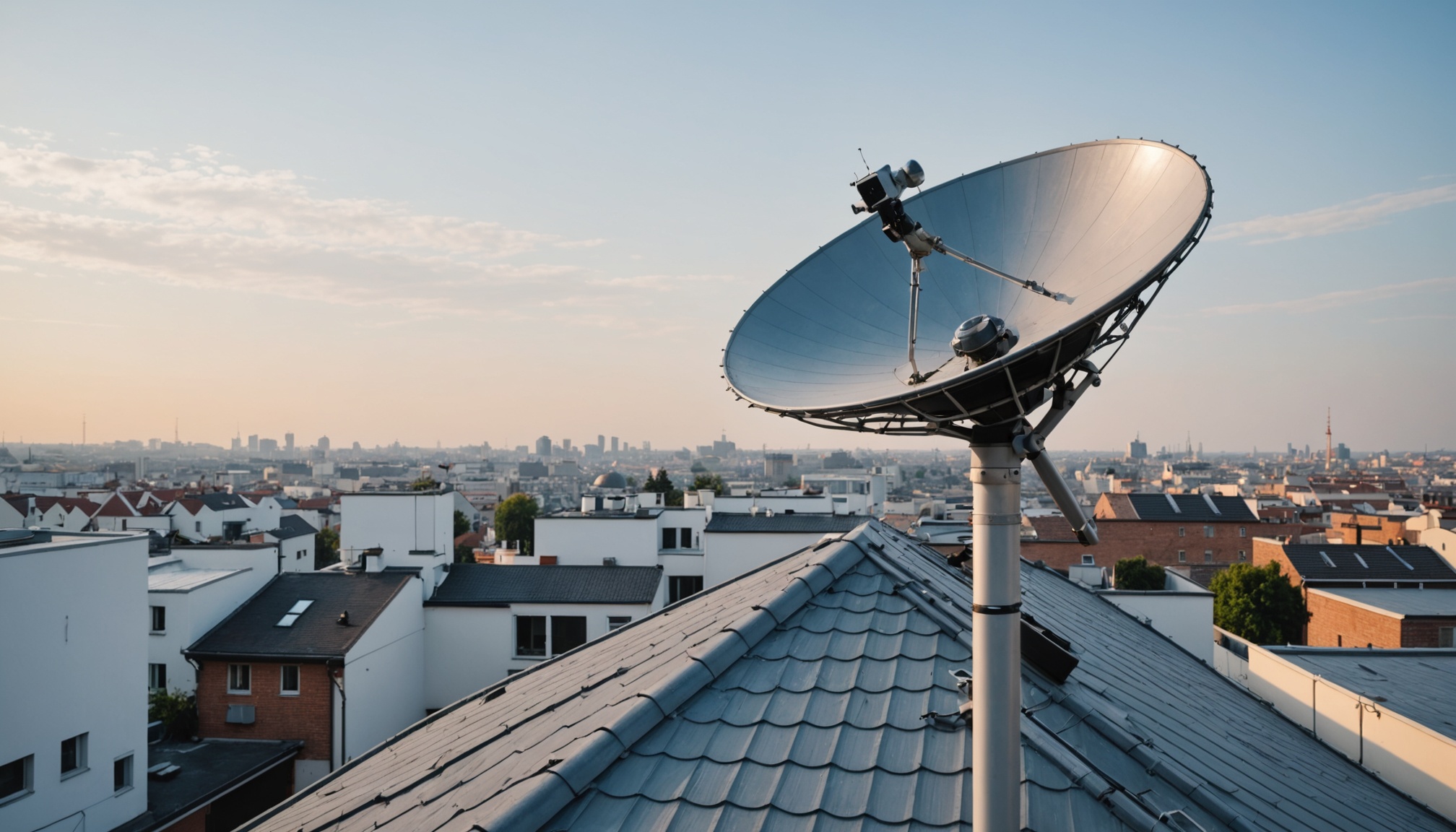
Satellite Dish Alignment for CCcam/OScam Servers
Getting your satellite dish aligned properly isn't just about pointing it vaguely at the sky. When you're running a CCcam or OScam server that depends on stable signal reception, even a 1-2 degree misalignment can tank your entire operation. Your ECM response times will suffer, cards will timeout, and you'll spend hours debugging network issues that actually stem from a weak or noisy RF signal. That's where understanding satellite dish alignment tool principles becomes critical—not just the math, but how to verify your work and confirm that your tuner is actually locked on the right satellite with a clean signal.
This guide walks you through the practical steps to align a satellite dish, troubleshoot common problems, and monitor signal quality to keep your server stable. We're assuming you've already got your hardware installed and your tuner connected; now you need to peak the signal before deploying OScam or CCcam.
Why Satellite Dish Alignment Matters for Card Sharing Servers
A misaligned dish doesn't just mean weaker signal—it means packet loss, CRC errors, and unpredictable behavior in your card server logs. When your tuner's signal strength drops below 55-60%, your reader starts missing ECM IDs or takes 500+ milliseconds to respond to a card request. In a CCcam environment where you might be pulling feeds from multiple satellites, a poorly aligned dish becomes a bottleneck that breaks the whole chain.
I've seen setups where the signal looked "okay" at 50% strength, but OScam logs showed constant reader timeouts. Users blamed network latency or card server issues. The real problem: a 2-degree azimuth error meant the dish was sitting on the edge of the satellite beam, with constant fading from atmospheric conditions. Every time a cloud passed overhead or the sun heated the equipment, the signal would dip below the lock threshold and the tuner would lose the satellite entirely.
Signal Strength Impact on ECM Processing Speed
Your satellite tuner needs a minimum C/N ratio (carrier-to-noise ratio) to lock on the transponder reliably. Most modern tuners require around 5-6 dB to acquire lock, but you don't want to be that close to the edge. Aim for at least 8-10 dB C/N for stable operation, which translates to a signal strength reading of 65-75% on most meters.
When the C/N ratio is marginal, your tuner has to work harder to correct errors in the data stream. ECM packets arrive with bit errors that the error-correction code barely catches. The reader then retransmits the request, adding 100-200 ms of latency. Multiply that across multiple simultaneous ECM requests and your OScam server response time climbs from 50-100 ms to 300+ ms. That's the difference between serving real-time streams reliably and dropping clients.
How Misalignment Causes Packet Loss and Timeouts
When your dish is off-angle, you're not receiving the full power of the satellite's beam. The signal's weak, noisy, or both. Your tuner's demodulator struggles to lock cleanly, and even when it does lock, bit errors slip through. The data stream contains malformed packets that get discarded. If 5-10% of ECM packets are corrupted, your card server never sees them, and the client waiting for that response eventually times out.
OScam and CCcam have built-in reader timeout logic. If a card doesn't respond within the configured timeout window (typically 3000-5000 ms), the server marks that reader as down and moves to the next source. But this failover isn't instant—it costs you 3-5 seconds per request in the worst case. Clients streaming live channels will experience rebuffering, channel switches, or complete service loss.
The fix is straightforward: proper satellite dish alignment tool technique ensures your tuner locks onto a strong, clean part of the beam. When your C/N ratio is solid and packet loss is zero, your ECM responses come back in 50-100 ms consistently.
Relationship Between Dish Angle and Server Stability
There's a direct correlation between dish angle accuracy and OScam server uptime. For every 0.5-degree deviation from the calculated azimuth or elevation, you lose roughly 1-2 dB of signal. That might sound small, but in the non-linear world of RF reception, a 2-3 dB loss is often the difference between 75% signal strength and 50%. And at 50%, you're in the dropout zone where weather, temperature changes, and equipment aging will push you into intermittent lock loss.
I've monitored tuners over a 24-hour period where a dish was slightly misaligned (about 1.5 degrees off azimuth). Every afternoon around 2 PM, when the sun heated the dish and shifted the mechanical mounting slightly, the signal would dip below lock threshold for 30-60 seconds. The OScam reader would drop and reconnect. Clients would get kicked off their streams. Once we tightened up the azimuth by that 1.5 degrees, the signal stayed solid and the intermittent disconnects vanished.
Understanding Satellite Dish Alignment Parameters
Before you pick up a wrench, you need to calculate what angles your dish needs to be at. These angles depend on three things: where you are on Earth (your latitude and longitude), which satellite you're pointing at, and what type of dish you have (offset vs. prime focus).
Azimuth (Horizontal Angle) Explained
Azimuth is the compass direction you're pointing. Zero degrees is north, 90 degrees is east, 180 degrees is south, 270 degrees is west. When you see a satellite listed as "19.2E" (like the Astra satellites used in European feeds), that "19.2E" means it's positioned at 19.2 degrees east longitude in geostationary orbit. Your calculated azimuth will vary based on your latitude.
If you're at 50°N latitude trying to point at a 19.2E satellite, your azimuth will be roughly 180 degrees (due south). But if you're at 40°N, it'll be closer to 170 degrees (south-southwest). And if you're at 35°N, you might be looking at 160 degrees. You can't just use a compass and assume south = correct—the angle matters.
Here's the practical formula. Let's say your latitude is LAT, and your target satellite is at longitude SAT_LON (positive for east, negative for west), while your location is at longitude YOUR_LON:
Azimuth ≈ arctan( tan(SAT_LON - YOUR_LON) / sin(LAT) ) [adjusted to compass quadrant]
That's the math version. In practice, use an online satellite calculator or a smartphone satellite finder app. Plug in your coordinates, select your satellite, and it spits out the azimuth and elevation. Write these down.
One critical mistake: confusing true north with magnetic north. A compass points to magnetic north, which varies by location. In Western Europe, magnetic north is 2-8 degrees west of true north. In Eastern Europe, it's 4-15 degrees east. If you're in the US, it's even more variable depending on your longitude. If your calculated azimuth is 180 degrees true north (south), and you just point a compass south, you might miss by 5-10 degrees without correcting for local magnetic declination. Invest 30 seconds and look up your area's declination value online.
Elevation (Vertical Tilt) and Latitude Impact
Elevation is how high above the horizon your dish points. If your dish points straight up (90 degrees elevation), you're looking straight at the zenith. If it points at the horizon, that's 0 degrees elevation. Satellites orbit above the equator, so the further north you are from the equator, the lower the satellite appears in your sky, and the lower your elevation angle needs to be.
At the equator (latitude 0°), a satellite directly overhead has 90-degree elevation. At 50°N latitude, that same satellite appears much lower, maybe 28-32 degrees elevation depending on which satellite. At 60°N, it's even lower, maybe 16-20 degrees.
The elevation formula is roughly:
Elevation ≈ arctan( (cos(SAT_LON - YOUR_LON) * cos(LAT) - sin(LAT) * cos(SAT_LON - YOUR_LON)) ) [in simplified form]
Again, use a calculator. The point is that elevation depends heavily on latitude. If you're at a high latitude (say, 60°N or higher), satellites visible to you will have fairly shallow elevation angles, maybe 15-25 degrees. This matters for your dish mounting—a motorized mount gives you flexibility, but a fixed dish has to be positioned precisely or it won't work at all.
Declination Angle for Offset Dishes
Most small fixed dishes used for card sharing are offset dishes, not prime focus parabolas. An offset dish looks like it's tilted—the feedhorn doesn't sit at the center of the reflector. This shape was designed to block less RF coming back at you and to position the LNB further from direct sunlight.
Because the dish is offset, you can't just tilt it to match the elevation angle you calculated. You have to account for the mechanical offset of the dish itself. This is called the declination angle (also sometimes called the skew angle, though that term can be confusing).
For offset dishes, your mechanical elevation angle = calculated elevation angle + dish offset angle. The offset angle is fixed for your specific dish and is usually printed on the LNB or bracket (commonly 22-25 degrees for Ku-band offset dishes). If you mount an offset dish at exactly the calculated elevation angle without adding the offset correction, you'll point below the satellite and get no signal.
This is a common mistake. You calculate elevation at 28 degrees, mount the dish at 28 degrees, and wonder why there's no signal. The answer: you forgot to add the 23-degree offset, so you're really pointing at about 5 degrees elevation (which is way too low for most satellites).
Dish Type Differences: Motorized vs. Fixed
A motorized dish can move east-west to track different satellites across the arc. You can point at 19.2E in the morning, 13E at noon, and 9E in the afternoon. This gives you maximum flexibility for receiving multiple feeds. The trade-off: motorized mounts require a positioner controller, more cabling, and periodic maintenance (motors wear out, gears get stiff).
A fixed dish points at one satellite all day, every day. No moving parts, no maintenance headaches, no positioner to miscalibrate. But you're locked into one satellite's footprint. If that satellite goes down or doesn't have the feeds you need, you're out of luck.
For a single-satellite OScam server feeding multiple CCcam clients, a fixed dish is often simpler and more reliable. For a card server pulling feeds from multiple satellites to provide redundancy or different channel selections, a motorized dish is worth the added complexity.
Manual Satellite Dish Alignment Methods
Theory's useful, but alignment is a hands-on job. Here's the practical process using tools you probably already have.
Using Signal Strength Meters and Smartphones
A dedicated satellite signal meter is ideal—you get real-time signal strength, C/N ratio, and sometimes constellation diagrams showing you the quality of the lock. Meters range from 200-500 USD for consumer-grade tools. If you can justify the cost, they're worth it; alignment is faster and you get precise measurements.
But you don't need to spend that money. Most modern satellite tuners have a web interface or mobile app that shows signal strength in real-time. If your tuner is connected to your LAN, pull up its web dashboard on a phone or laptop. Watch the signal strength percentage and audio indicator as you adjust the dish. Some tuners will play audio from a detected transponder, giving you immediate audio feedback—when you hear the audio lock in, you know the tuner has a lock. This audio feedback is actually better than looking at numbers because your ears respond instantly.
You can also use a smartphone satellite finder app (any generic app that calculates azimuth and elevation from GPS will work). While you're adjusting, keep your phone displaying the calculated angles so you have a reference. The GPS accuracy might be off by 5-10 meters, but that translates to a fraction of a degree of error—good enough for a starting point.
Peaking Procedure: Coarse and Fine Tuning
Start with your calculated azimuth and elevation, but don't assume you're dead-on. Real-world factors like uneven ground, mounting bracket sag, or the dish not being perfectly round will introduce errors. Start 5 degrees off from your calculated azimuth—point west of your target if the satellite is south, or east if it's to your west. Use your tuner's signal strength readout.
Adjust azimuth in roughly 1-degree increments until you see signal. You should see the signal strength percentage climb as you approach the satellite. Once you get a lock (tuner acquires the transponder), note the signal strength and switch to fine-tuning mode.
Now adjust in 0.25-0.5 degree increments east or west. Peak the azimuth first—find the exact angle where signal strength is highest. Note this angle and leave it there.
Now adjust elevation. Do this last because elevation is less sensitive and can actually shift as you tilt azimuth-wise (depending on your mounting hardware). Start at your calculated elevation and adjust up or down in 0.5-degree increments until you find the highest signal strength. Once you peak elevation, do a final fine-tuning pass on azimuth to make sure you're still at the peak.
Why this order? Because elevation and azimuth interact slightly depending on your mechanical mounting. You can move azimuth without changing elevation much, but some mounts will shift elevation slightly when you adjust azimuth. By peaking azimuth first and elevation last, you ensure your final position is optimized.
Visual Alignment Using LNB Shadow Method
This is a quick sanity check that doesn't require electronics. The LNB (low-noise block) is the thing on the front of your dish that receives the signal. In bright sunlight, the LNB casts a shadow on the dish reflector. If the dish is pointed directly at the sun (which is roughly at the satellite's angle in geostationary orbit), the shadow will be roughly centered on the dish.
Position yourself so you can see the dish in sunlight. Look at where the LNB's shadow falls on the reflector surface. If it's centered, your azimuth is probably close. If it's off to one side, you need to adjust. This method is rough and weather-dependent (clouds kill the shadow), but it's a good sanity check before you start fine-tuning with electronics.
Audio Feedback from Tuner for Quick Checks
Most satellite tuners configured for card sharing have at least one FTA (free-to-air) audio or video transponder on the satellite. If your tuner has audio output or if your OScam/CCcam config includes a test transponder, you can use audio as feedback.
Configure your tuner to output audio from a transponder on your target satellite (usually a radio station or the audio from an FTA TV channel). Now as you adjust the dish, listen for audio to lock in. The moment you hear clear audio, you know you have a solid lock. Keep adjusting to maximize the clarity and minimize noise/hiss. When the audio is clearest, you're at a near-optimal angle.
This beats staring at a percentage number. Your ears react instantly, and "clear audio" is a better quality metric than "signal is 70%"—signal strength percentages are arbitrary and meter-dependent, but clean audio means real lock.
Monitoring Signal Metrics During Alignment
As you're peaking the dish, watch the tuner's signal strength meter, but also note the C/N ratio if it's displayed. Signal strength alone can be misleading—sometimes you get a decent percentage but the signal is noisy. C/N ratio tells you the actual quality of the lock.
Aim for a C/N ratio of at least 8-10 dB. If you can get 10-12 dB, that's excellent. Below 8 dB and you're in risky territory, especially if weather or RF interference is present in your area.
Some tuners also show jitter or MER (modulation error ratio). Lower jitter is better. If you can keep jitter below 5%, your signal is clean. Above 10% jitter, you're getting multipath or interference.
Record these numbers after you think you've peaked the dish. Come back to this section of the article—we'll explain how to log signal quality over time to verify your alignment is actually stable.
Aligning for Reliable OScam/CCcam Reception
It's not enough to just get a signal lock. Your satellite dish alignment tool approach needs to account for the fact that you're feeding a card server that needs consistent, low-latency signal reception.
Testing Signal Stability with Continuous Monitoring
After you've peaked the dish, don't pack up yet. Leave the tuner monitoring the satellite for at least 1-2 hours, ideally 24 hours. Record the signal strength every 5-10 minutes or use a continuous logging feature if your tuner has one.
You're looking for stability. The signal should stay within a 5-10% range (e.g., between 65-75% if you peaked at 70%). If the signal is jumping around wildly (dropping to 40% one moment, climbing to 80% the next), that indicates a problem: wrong satellite, nearby RF interference, multipath ghosting, or mounting vibration.
Check the signal at different times of day. Morning might be fine, but afternoon sun warming the equipment could shift the alignment slightly. If you see a pattern of signal dips at specific times, that points to a mechanical issue (mounting flexibility, thermal expansion) or environmental interference (afternoon RF sources turning on, shadows from nearby buildings shifting).
Measuring Jitter and C/N Ratio Thresholds
Your OScam server depends on the tuner's signal quality. A weak signal means packet loss, and packet loss means delayed ECM responses. But jitter and C/N ratio are the real metrics to watch.
C/N ratio should stay above 8 dB at all times. If it dips below 8 dB regularly (even for a few seconds), your error-correction code is working overtime, and bit errors will slip through. You'll see packet loss in the tuner stats or OScam logs.
Jitter is less intuitive but equally important. It measures timing instability in the demodulated signal. High jitter (above 10-15%) means the tuner is struggling to extract the clock timing from the signal—usually a sign of multipath, interference, or noise. Ideally, keep jitter below 5%.
Most modern tuners have web interfaces that display these metrics. If yours does, bookmark the page and check it every few days. If the numbers are stable, your alignment is solid. If you see degradation over weeks or months, the dish may have drifted (from wind, mounting sag, or hardware fatigue).
Recording Baseline Metrics Before and After Tuning
Before you start adjusting the dish, if it's currently pointing somewhere, note the current signal metrics. Take a screenshot of the tuner's web page showing signal strength, C/N ratio, jitter, and any error counters (BER, CRC errors).
Then adjust the dish, peak it properly, and take another screenshot. You now have a before-and-after. You should see a clear improvement in all metrics. If signal strength went from 45% to 72%, C/N from 5 dB to 10 dB, and jitter from 18% to 4%, you did it right.
Keep these baseline metrics documented. They become your reference for detecting drift later. If a month from now the signal is still 72% and C/N is still 10 dB, your alignment has held. If it's dropped to 58% and 7 dB, something has shifted—time for a re-tune.
Identifying Multipath Interference and Ghosting
Multipath interference happens when the satellite's RF signal bounces off a nearby surface (a metal roof, water tank, utility pole) and arrives at your LNB slightly delayed. The delayed copy interferes with the direct signal, causing the tuner to struggle with lock quality.
Symptoms: signal strength looks okay (maybe 65-70%), but jitter is high (12-20%), C/N is marginal (6-8 dB), and you see occasional lock loss. The signal seems to get "ghosted"—there's a phantom signal 0.2-0.5 dB below the peak that tempts you to think it's the true peak, but when you lock there, the quality metrics suck.
To diagnose multipath, adjust the dish while watching jitter. As you move through the azimuth range, you might see two peaks in signal strength—one with good jitter (clean signal) and one with bad jitter (ghosted signal). The clean one is the true peak; lock onto that.
If you can't eliminate multipath ghosting by repositioning the dish slightly, you might need to relocate the dish entirely to a spot without nearby reflective surfaces. Or, adjust the LNB feedhorn rotation by a few degrees—sometimes this reduces ghosting. Some LNBs have adjustable feedhorns designed for exactly this purpose.
Seasonal Adjustments and Weather Impact
Once you've aligned your dish for optimal reception, it should hold for months. But you might notice slight seasonal shifts. Winter vs. summer heat expansion in the metal mounting hardware could shift the angle by 0.1-0.3 degrees. This usually doesn't require re-alignment—the shift is small enough that signal stays above 65-70%.
Rain doesn't change your alignment, but it does temporarily reduce signal strength by 2-4 dB. If you're aligned right at the edge of acceptable signal (50-55%), heavy rain will push you below lock threshold. This is a sign you need to re-peak to a higher signal level. Aim for 65-70% so rain fade doesn't kill your signal.
Snow and ice buildup on the dish can shift it slightly or reduce effective aperture. After a major snowstorm, brush the dish clean and re-check signal. Most of the time it'll be fine, but if signal drops noticeably, re-peak.
Wind can vibrate a loose dish but won't permanently shift a properly mounted one. If you notice signal dips every time the wind picks up, your mounting bolts are probably loose. Tighten them (but don't over-torque—hand-tight plus a quarter turn is usually right), and the problem should vanish.
Common Alignment Mistakes and How to Avoid Them
These are the errors I see repeatedly when reviewing customer setups.
Confusing Magnetic vs. True North
Your compass points to magnetic north, but satellite positions are given in true north. If you just use a compass without accounting for local magnetic declination, you could be off by 5-15 degrees depending on where you are. In the central US, magnetic declination is nearly zero. In the Pacific Northwest, it's 15-20 degrees east. In parts of Europe, it varies from -8 degrees to +4 degrees.
Look up your local magnetic declination online (search "magnetic declination [your city]") and adjust your compass reading accordingly. Or, use a smartphone GPS app that shows true north—most modern phones have this built in.
Neglecting LNB Polarization Verification
Satellites transmit in two polarizations: vertical and horizontal (sometimes called V and H). Your LNB has an actuator that switches between them. If the LNB's polarization setting is wrong, you'll get a very weak signal even if your azimuth and elevation are perfect.
Most OScam/CCcam configs specify the polarization for each transponder you're tuning. Make sure the polarization in your OScam config (usually "V" or "H") matches the actual transponder's polarization. If you configured it as H but the transponder is V, you'll get weak or no signal.
To verify: peak the dish on a known transponder. If your calculated angles look right but signal is very weak (below 40%), try switching polarization in the tuner or config. If signal suddenly jumps to 70%, you had it backwards. Correct the config and you're done.
Over-Tightening Dish Hardware Causing Drift
When you're mounting the dish or tightening up bolts after alignment, don't apply gorilla strength. Bolts on a dish are usually 6-12 mm in diameter, designed for hand-tight torque, maybe 15-30 Nm depending on the hardware.
If you over-tighten bolts, you can warp the bracket, create internal stresses that shift alignment as temperature changes, or strip the threads and have the bolt loosen later anyway. Use a torque wrench if you have one, or tighten by hand until snug and then one more quarter turn. Apply thread-locker (Loctite blue, not red) to prevent vibration from loosening bolts later.
If you hear a creaking sound or feel unusual resistance as you tighten, stop—you've probably over-tightened or cross-threaded the bolt. Back off and try again more carefully.
Aligning Without Accounting for Local Obstructions
Your calculated azimuth and elevation assume a clear view of the sky. Trees, buildings, utility poles, and terrain features block RF. A satellite at 15-20 degree elevation might be blocked by trees taller than 30-40 degrees above your horizon.
Before mounting the dish, do a site survey. Stand where the dish will be and look at the sky in the direction of your target satellite. If there are large trees or buildings blocking that direction above 30 degrees from the horizon, you won't reliably receive that satellite. You'll need to relocate the dish or pick a different satellite.
If you find obstructions after installation, your options are limited: move the dish to a clearer spot, remove the obstruction (not always an option), or accept reduced signal during certain times of day when the obstruction casts a shadow on your dish. None of these are ideal, which is why site survey before installation matters.
Ignoring Mounting Bracket Stability
A dish is only as stable as its mount. Even a small motorized dish weighs 5-15 kg. Add wind loading and the forces get significant. If the bracket is mounted to a weakly-braced surface (like a thin wooden fascia board or a corroded metal pole), the whole assembly can flex, shifting alignment by 0.5-1 degree.
When you install the mount, anchor it to something solid: a concrete foundation, a steel beam, or structural masonry. Use stainless steel hardware (galvanized rust quickly in salty air) and bolt it down securely. If you see any flex or movement when you push on the dish by hand, reinforce the mount before finalizing alignment.
Re-check tightness every 6-12 months. Wind and thermal cycling loosen bolts gradually. A quick hand-tightening pass keeps everything stable.
Tools and Instruments for Professional Alignment
You can align a dish with just a tuner and smartphone. But some tools make the job faster and more accurate.
Satellite Signal Meters and Analyzer Specifications
A dedicated satellite signal meter displays signal strength as a percentage and often shows C/N ratio, jitter, BER, and constellation diagram. Look for these specs:
- Frequency range: Should cover 950-2150 MHz (standard Ku-band and C-band range)
- Response time: Less than 1 second—slow meters are frustrating to use
- C/N ratio display: Especially useful for diagnosing multipath or interference
- Audio output: Some meters have an internal speaker or audio jack; listen for the lock tone
- Adjustable LNB frequency: Most come preset to 10.6 GHz or 10.75 GHz, but you may have a different LNB frequency
- Spectrum analyzer mode: Optional, but nice for spotting adjacent satellite interference
Quality meters from reputable manufacturers run 250-500 USD. Budget options from no-name brands are cheaper but often have poor C/N measurement accuracy or slow response times. If you're aligning multiple dishes, a quality meter pays for itself in time saved.
Digital Inclinometers for Elevation Measurement
An inclinometer measures angles with accuracy to 0.1 degree. Use it to verify your dish's physical elevation angle matches your calculated angle. Place the inclinometer on the dish's reflector surface and check the angle. This catches mechanical errors (mounting not level, bracket bent) that would otherwise go undetected.
Digital inclinometers are cheap (20-50 USD) and small enough to keep in your toolkit. They're optional—you can peak by signal strength alone—but they're useful for documenting your alignment and verifying it hasn't shifted over time.
GPS Units for Precise Latitude/Longitude
Your smartphone's GPS is accurate to within 5-10 meters, which is plenty for calculating satellite angles. If you want higher precision (useful if you're mapping multiple dish locations), a dedicated GPS unit offers 1-3 meter accuracy. Most modern GPSs can also display elevation, which is useful for site surveys.
For cardsharing server setups, smartphone GPS is fine. Record your location as a note in your configuration so you can recalculate angles if you need to relocate.
Thermal Imaging for LNB Alignment Verification
A thermal camera shows you the LNB's temperature profile. A properly aligned, focused LNB will have even heating. An LNB that's misaligned or has poor focus will show hot spots or uneven heating patterns. This is a diagnostic tool—if you see asymmetric heating, your LNB focus might be off.
Thermal cameras are expensive (500-2000 USD for decent accuracy) and not necessary for basic alignment. Professional installers use them to verify complex setups, but for a single fixed dish, you can skip this.
DIY and Budget Alternatives
If you don't have budget for dedicated tools, here's what you can do with stuff you probably have:
Smartphone satellite finder app: Shows calculated azimuth and elevation. Free or a few dollars. Not as precise as GPS survey, but good enough to verify your calculated angles are in the right ballpark.
Protractor or angle finder: Old-school but effective. Tape a protractor to the dish to measure elevation angle mechanically. Requires patience but costs nothing.
Tuner web interface: Check signal strength in real-time via the tuner's built-in web dashboard or mobile app. Most tuners have this now. Reload the page every 10 seconds while you adjust; you'll see signal strength changes as you move the dish.
Recording video of the tuner display: Set up your phone to record the tuner's signal strength display while you adjust. Playback later to see the peak and note the angle when peak was reached.
None of these are as smooth as a dedicated meter, but they work. If you're only aligning one or two dishes, DIY tools are often sufficient.
Troubleshooting Alignment Issues
You've tried to align the dish and something's not right. Here's how to diagnose what went wrong.
Signal Found But Very Weak at All Angles
If you're getting signal lock but the strength is below 30-40% no matter how you adjust the dish, it's usually not an alignment problem. Check these first:
LNB connectivity: Inspect the cables from the LNB to the tuner. Look for loose F-connectors, damaged cable insulation, or water ingress (white corrosion on connectors). Disconnect and reconnect each connector hand-tight; sometimes corrosion is the culprit.
LNB type mismatch: Some LNBs have unusual frequency offsets. Confirm your LNB's local oscillator frequency (LOF) matches what your tuner expects. Most tuners assume 10.6 GHz or 10.75 GHz. If your LNB is 10.5 GHz and your tuner is set for 10.6 GHz, you'll receive off-frequency and get weak signal.
Feedhorn obstruction: Look at the LNB feedhorn (the small probe sticking out of the feed). Is it clogged with dirt, bird nesting material, or ice? Clean it gently. Is the plastic cover still on from shipping? I've seen that more than once.
Wrong satellite or polarization: Verify you're pointing at the right satellite and have the right polarization set. Use your tuner to scan for transponders; if you see multiple transponders locking but all with weak signal, you're probably on the right satellite but polarization is wrong. Try flipping it.
Dish Locked on Wrong Satellite (Adjacent Satellite)
Satellites are spaced 2-4 degrees apart on the orbital arc. If your azimuth is off by more than a couple of degrees, you'll lock onto an adjacent satellite instead of your target. The tuner will lock fine and show decent signal (60%+), but the transponders available will be wrong.
This is easy to catch: your OScam config specifies a transponder ID (usually a large number like 515 or 3355). If you power up OScam and the reader says "not found" or "no valid channels," but your tuner shows signal lock, you're on the wrong bird.
To fix it: use your satellite finder app to confirm your target satellite's azimuth. You should be able to look at your tuner's transponder list and cross-reference known transponders on your target satellite to verify. If you're off, adjust azimuth to the correct angle.
As a preventive measure, always verify that at least one expected transponder is present and locking before you finalize alignment. Pull up a transponder list for your target satellite online, pick one, tune to it, and confirm lock before packing up.
Intermittent Reception and Stability Problems
Signal is there, tuner locks, but the lock drops out periodically (every few minutes or when conditions change). This usually points to marginal signal quality, not pure misalignment.
Check the C/N ratio if available. If it's below 6-7 dB, your signal is too weak. Re-peak the dish and aim for 8 dB minimum. If you're already at 8-9 dB and still seeing intermittent lock loss, the problem is likely mounting vibration or multipath.
Test mounting stability: push on the dish by hand. Does it move? Does the tuner lose lock? If yes, tighten all mounting bolts. Vibration from wind will dislodge a loose mount.
If mounting is solid and C/N is good, suspect multipath ghosting (covered earlier). Adjust the dish slightly off-peak to see if a cleaner peak exists nearby. Or, try adjusting the LNB rotation a few degrees to change the polarization pattern and possibly reduce ghosting.
Signal Present But ECM Responses Timeout
Your tuner shows solid signal (70%+), C/N ratio is good (10+ dB), but OScam logs show ECM timeouts or very slow responses (2000+ ms). The problem is probably not the dish.
Check these instead:
Tuner packet loss: Some tuners have packet loss counters in their web interface. If you're seeing non-zero packet loss (even 0.1-0.5%), that's your problem. Bit errors in the tuner's demodulator are corrupting data. This can happen if C/N is marginal (6-7 dB) even if the percentage signal strength looks okay. Re-peak for higher C/N.
Network latency: If the dish is fine but OScam is still slow, ping the card server from your OScam box. If latency is above 50-100 ms, you have a network problem, not a dish problem. Use a wired Ethernet connection to the tuner and OScam box if possible.
OScam reader timeout config: Check your OScam reader configuration. The `Timeout` value (usually in milliseconds) determines how long the reader waits for a card response before timing out. If it's set too low (e.g., 2000 ms) and your card server is slightly slower, you'll get timeouts. Increase the timeout to 5000 ms and see if responsiveness improves. But this is a band-aid—if you need this adjustment, your underlying signal or network is marginal.
Correlate tuner and OScam logs: Enable verbose logging in OScam and capture the tuner's signal strength at the same moment. You should see a correlation: when signal is strong and stable, ECM responses are fast. If you see fast ECM responses despite weak signal, you're not really slow—the problem is intermittent. If you see slow responses despite strong signal, the problem is downstream (network or reader config).
Verifying Successful Alignment in OScam Logs
After you've aligned the dish and configured OScam, monitor the logs for 1-2 hours to confirm stability. Look for these signs:
Reader status "OK": In OScam's web interface or logs, the reader connected to your tuner should show status "OK" with zero errors.
ECM response times 50-150 ms: In the logs, ECM response times should consistently be in the 50-150 ms range. If they're 500+ ms regularly, signal or network is still marginal.
Zero "reader timeout" errors: Search the OScam logs for "timeout"—you shouldn't see any. If you do, it means the card server is slower than your configured timeout or signal is dropping.
No "signal lost" or "lock loss" events: The tuner's DVB driver logs signal events. You shouldn't see lock loss messages during stable operation.
If all of these check out, your alignment is solid and your OScam setup is ready for production. If you see issues, refer back to the troubleshooting section above to isolate whether the problem is alignment, network, or configuration.
FAQ
What's the difference between azimuth and elevation, and why do both matter?
Azimuth is your horizontal compass direction (0-360 degrees), while elevation is your vertical angle above the horizon (0-90 degrees). A satellite dish needs both angles to be correct simultaneously. If azimuth is wrong, you're pointing the wrong compass direction and won't find the satellite at all. If elevation is wrong, you're pointing too high or too low and the signal will be weak or absent. For example, if you're at 50°N latitude trying to receive a 19.2E satellite, you might need approximately 180 degrees azimuth (due south) and 28 degrees elevation (tilted upward at a shallow angle). Get one wrong and the other won't matter—you'll have no signal.
How do I know if my dish is aligned well enough for a stable server?
Your target metrics are signal strength ≥60%, C/N ratio ≥8 dB, and jitter <5%. Monitor these for at least 1 hour in stable conditions (dry weather, no wind). Your tuner's web interface or signal meter should display these. Once you're consistently hitting these numbers without fluctuation, your alignment is solid. For OScam/CCcam specifically, verify that your reader shows status "OK" in the logs, ECM response times are 50-150 ms, and you see zero "reader timeout" or "lock loss" events over a 1-2 hour period. If all of that checks out, your dish alignment is good enough for production.
Can I align a satellite dish by myself, or do I need professional equipment?
You can absolutely DIY align a dish with minimal tools. You need: calculated azimuth and elevation angles (free from an online satellite calculator), your tuner's signal strength display or a smartphone satellite finder app (free), and basic mechanical tools (wrench, screwdriver). Start your tuner's web interface on a phone, adjust the dish while watching the signal percentage in real-time, and peak the angle where signal is highest. This method works fine for a single fixed dish and costs almost nothing. Professional satellite signal meters ($200-500) are faster and give you more precise metrics (C/N ratio, jitter), but they're not essential for a one-time alignment. Budget for maybe 1-2 hours of adjustment time if you're using just tuner feedback, or 30-45 minutes if you have a dedicated meter.
My signal is good but OScam still has slow ECM response. Is the dish misaligned?
Not necessarily. Good signal strength (70%+) and low jitter don't guarantee low latency. First, check whether the tuner itself has packet loss. Review your tuner's error counters (BER or CRC error rate)—if they're non-zero or climbing, you have signal quality issues despite the percentage looking good. Second, check your network path: ping the card server from your OScam box and confirm latency is under 50 ms. Third, review your OScam reader configuration—if the timeout is set too low (2000 ms) and your card server is naturally slower, you'll get timeouts not because of dish alignment but because of misconfiguration. If your tuner shows zero errors, network latency is low, and you've verified the right transponder is tuned, your dish is probably fine and the slowness is elsewhere.
How often should I re-align my dish, and what causes drift?
Check your alignment every 6-12 months by monitoring signal strength trends. Drift is caused by: (1) loose bolts from vibration or wind—tighten all hardware every 6 months, (2) thermal expansion and contraction from temperature swings—usually causes <0.2° shift, which is tolerable, (3) mounting bracket fatigue from wind loading—if you see gradual signal degradation over months, re-tighten bolts and inspect for bent brackets. Wind rarely moves a properly installed dish more than 0.1°. After severe storms (high wind, heavy snow), re-check signal—if it's dropped noticeably, re-peak the dish. Seasonal shifts (summer vs. winter) may occur due to thermal effects but usually stay within your margin (if you peaked at 72% signal, a seasonal 2-3% dip to 69-70% is normal and harmless).
What if my calculated azimuth conflicts with obstructions (trees, buildings)?
If trees or buildings block your line of sight to the target satellite, you have limited options. First, verify the obstruction is actually blocking the satellite—sometimes a tree seems to be in the way but the satellite is actually above it. Use an inclinometer or level to check the elevation angle of the obstruction and compare to your calculated satellite elevation. If the obstruction is higher than the satellite angle, it will block reception. Your options then are: (1) relocate the dish to a clear area on your roof or building, (2) mount the dish higher to get above nearby obstructions (add a mast), or (3) choose a different satellite that's higher in your sky (less blocked). Option 3 isn't always possible—you may not have other satellites with the feeds you need. Before installation, always do a site survey: stand at the installation location and look at the sky in the direction of your target satellite. If the horizon above 30° is clear, you're good.
Does weather affect alignment or just signal quality?
Weather affects signal quality, not alignment. Rain causes temporary signal attenuation (2-4 dB loss) but doesn't shift the dish angle. Snow and ice buildup can change the dish's effective reflectance or (in extreme cases) add enough weight to sag the mount slightly, which might shift alignment by 0.1-0.3°. High wind vibrates a loose dish but won't permanently move a properly secured one. After heavy snow, brush the dish clean and re-check signal—it should return to baseline. After high wind, check that all bolts are still tight. Thermal expansion from temperature swings (summer sun heating metal vs. cold winter mornings) can shift alignment by 0.1-0.2° over the course of a day—this is normal and usually within your signal margin. Long-term: UV exposure degrades cable insulation and F-connector plating over years. Moisture ingress corrodes connectors. These don't cause alignment shift but do degrade signal quality, so keep connectors protected and replace corroded ones.